Navigating the Dynatrace Community
The Dynatrace Community is a vibrant space where experts and enthusiasts gather to ask questions, share feedback, and exchange ideas. This collaborative environment results in a wealth of meaningful content, and this guide shows how to navigate it successfully.
Search
This is the quickest way to find the information you need in the Dynatrace Community. The search bar helps you quickly locate posts, ideas, questions, articles, users, and places in the forums.
Each forum has a search bar at the top. Start typing to see if anything fits your request in the list of suggestions. If not, press Enter to access the full search results page.

Sort and Filter
You can sort and filter the content for higher relevance.
You can sort the results by:
- Date
- Views
- Kudos (likes)
- Replies
- Best Match
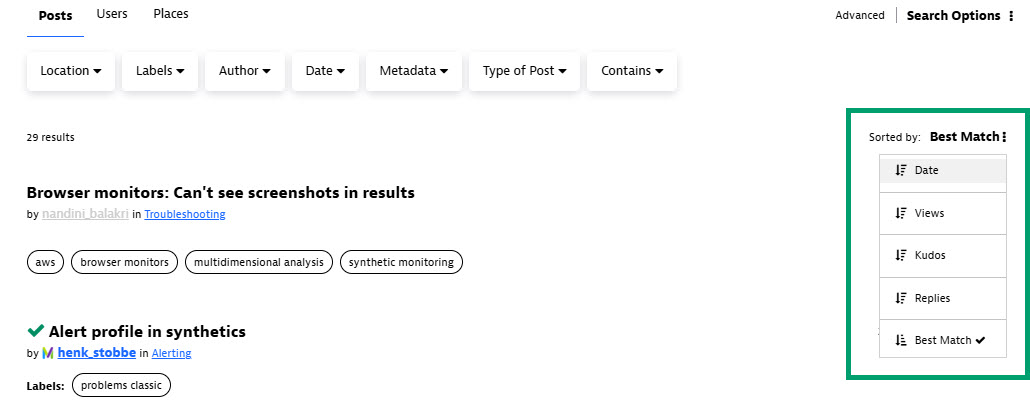
By using any of the filtering options listed below you can precise your search:
- Location in the forums
- Labels
- Author of the content
- Date
- Metadata (solved and/or kudoed posts)
- Type of the post (Forums, Blogs, Ideas, Knowledge Base)
- Contains (Images, Videos, Attachments)

 Tip: Use search modifiers to narrow your search even further:
- Use quotes to search for an “exact phrase”
- Use the plus sign to search for +one +or +more +keywords
- Use the minus sign to -exclude -certain -words from your search
Advanced Search
You can also use the “Advanced Search” feature to set up the way search results are to be displayed:
- In the form of a topic or a post
- Number of posts to display per page
- Whether you want to see the topics without replies

Navigation
If you don’t search for a particular post but would rather explore a topic, use the top navigation bar. All our forums are organized around particular topics to make it convenient to search for related content.
Select the “Follow” button to stay updated on new content.

Need help?
- Check the FAQ.
- Explore the comprehensive Dynatrace Community User Guide.
- Don’t hesitate and reach out to us via team-community@dynatrace.com.