This website uses Cookies. Click Accept to agree to our website's cookie use as described in our Privacy Policy. Click Preferences to customize your cookie settings.
Troubleshooting
Articles about how to solve the most common problems
Turn on suggestions
Auto-suggest helps you quickly narrow down your search results by suggesting possible matches as you type.
- Community Home
- Platform
- Troubleshooting
- How to perform Dynamic Date Selection with help of JavaScript Event on browser click path synthetic monitor while working with Travel Sites
Options
- Subscribe to RSS Feed
- Mark as New
- Mark as Read
- Printer Friendly Page

 Mareeswaran
Dynatrace Advisor
Options
- Mark as New
- Subscribe to RSS Feed
- Permalink
on
11 Apr 2023
03:19 PM
- edited on
19 Sep 2025
04:02 PM
by
HannahM
Summary
For dates that need to be dynamically selected, for example, always select a date 37 days in the future, some script customization is required. This is often seen on travel-related sites where from and to dates are needed.
Solution
The following JavaScript code snippet can be modified to perform Dynamic Date Selection in a browser clickpath synthetic monitor.
var now = new Date();
var today = new Date(now.getFullYear(), (now.getMonth()), now.getDate());
var oneMonthLater = new Date(today.valueOf() + 30*1*24*60*60*1000); //30 days later from the current date
api.info(oneMonthLater);

var ReturnDate = new Date(today.valueOf() + 37*1*24*60*60*1000);
api.info(ReturnDate); //37 days later from the current date

function monthConverter(month){     switch(month){         case 0: return '01';         case 1: return '02';         case 2: return '03';         case 3: return '04';         case 4: return '05';         case 5: return '06';         case 6: return '07';         case 7: return '08';         case 8: return '09';         case 9: return '10';         case 10: return '11';         case 11: return '12';     } }


var startMonth = monthConverter(oneMonthLater.getMonth());
var startDay = ("0" + oneMonthLater.getDate()).slice(-2);
var startYear = oneMonthLater.getFullYear();
var returnMonth = monthConverter(ReturnDate.getMonth());
var returnDay = ("0" + ReturnDate.getDate()).slice(-2);
var returnYear = ReturnDate.getFullYear();
var departDate = startYear  + "-" + startMonth+ "-" + startDay;  // change the variable order format and delimiter based on your input filed based on your date format for both departDate & returnDate variables. In this example date format is dd-mm-yyyy
var returnDate = returnYear  + "-" + returnMonth + "-" + returnDay;
api.info(departDate);
api.info(returnDate);
function triggerevent(element) {
    var evt = document.createEvent("MouseEvent");
    var eventType = ["input", "change"];
    for (i = 0; i < eventType.length; i++) {
        evt.initMouseEvent(eventType[i], true, true, window);
        element.dispatchEvent(evt);  } }

var element1 = document.querySelector("#From"); // Replace with From input field JS Path
var element2 = document.querySelector("#To");   // Replace with To input field JS Path
element1.value = departDate;
triggerevent(element1);
element2.value = returnDate;
triggerevent(element2);
Steps to update and use the JavaScript snippet
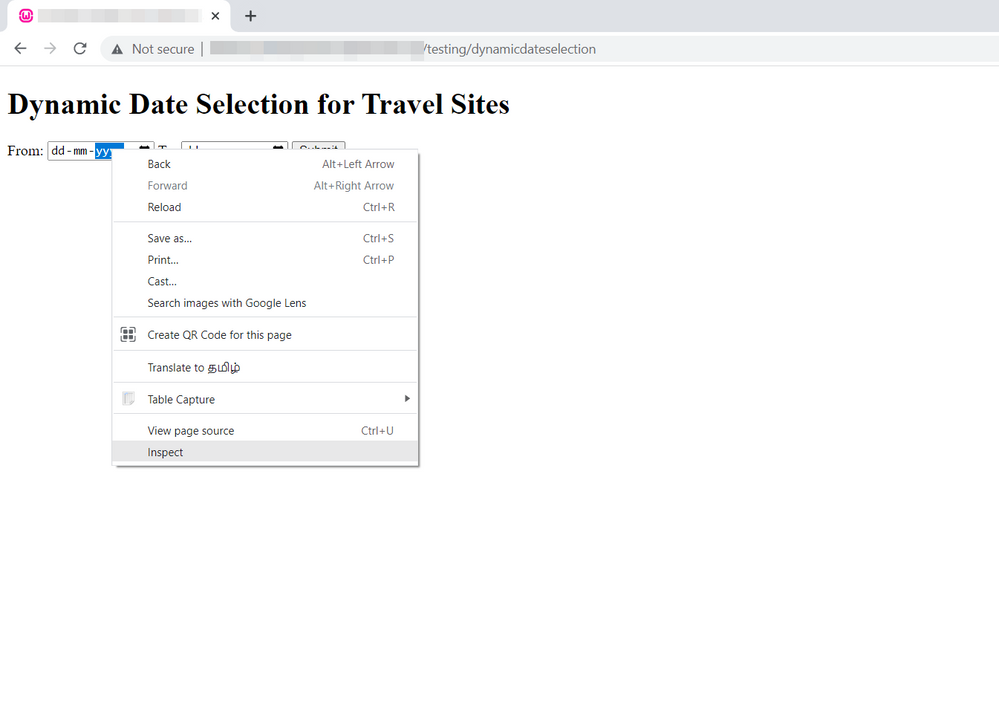
- Go to the relevant page on Chrome browser
-
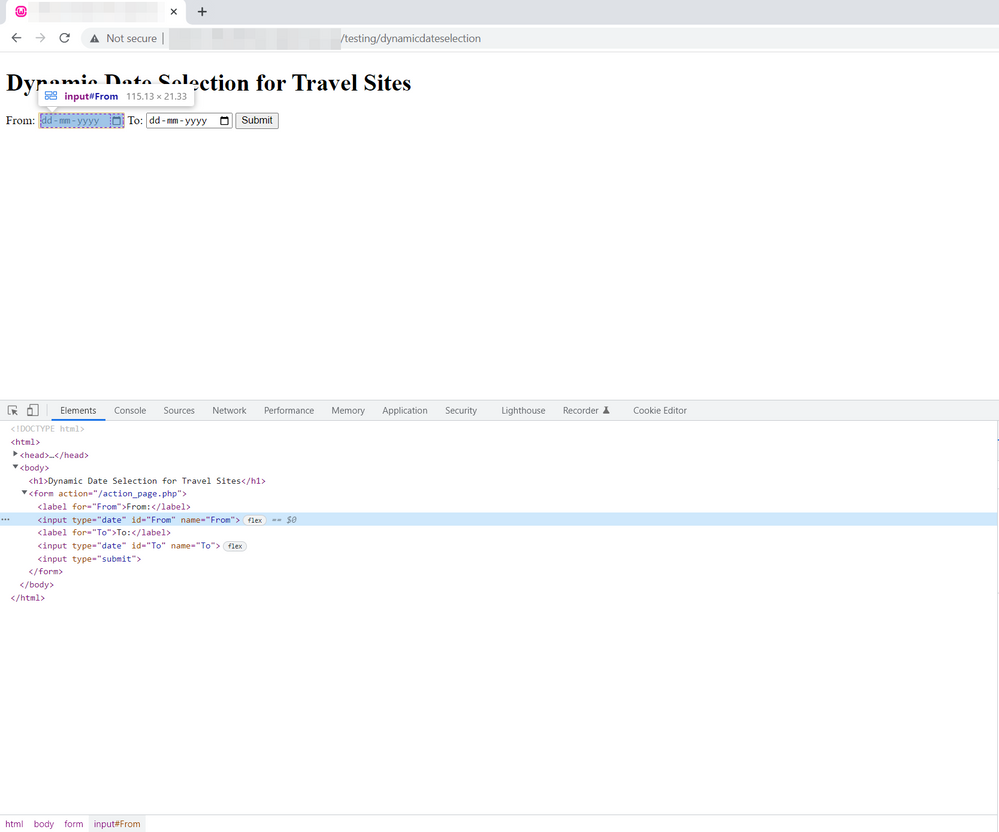
Right click on the From & To Date input elements which you want to perform the dynamic date selection on the page-> Inspect the element which will open the developer tools
-
Right click on the element on the Web developer tools - > Copy - > Copy JS path of both From & To Date input elements
-
Paste the JS path on the below element1 & element2 value and add this JavaScript code into the JavaScript Event of your Browser click path monitor which will enter the Dynamic Date on From & To input fields as shown in the below image,
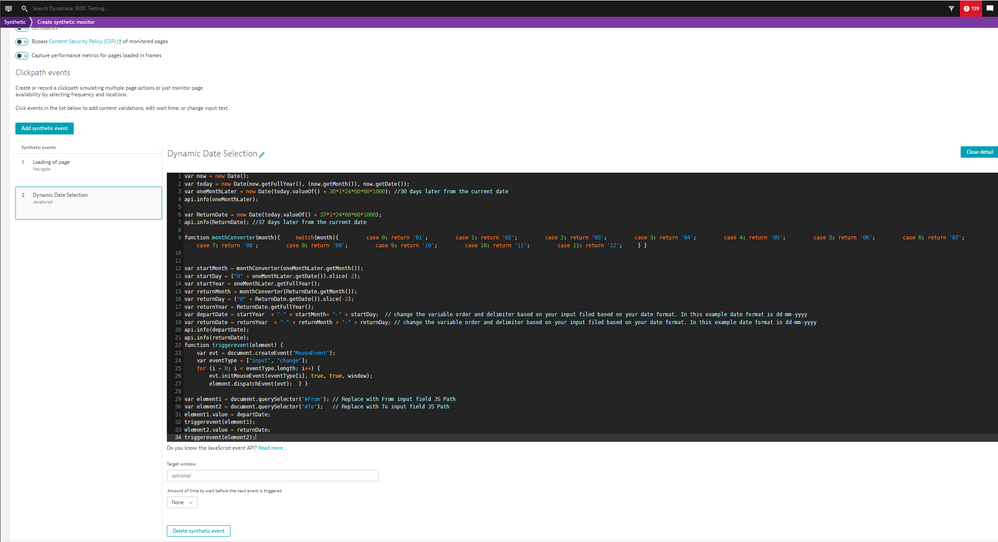
Note:- Change the departDate and returnDate variable assigned order format and delimiter based on your input filed date format. In this example date format is dd-mm-yyyy
What's Next
If none of the previous steps resolved the issue, open a chat and a link to the monitor and this article.
You can find further troubleshooting tips for Synthetic in the Synthetic Troubleshooting Map
Labels:
Comments


Community freeze: read-only from October 22, 6:00 AM UTC, while we move to Discourse. Outage (~1h) on October 26 at 9:00 AM UTC. Learn more.