This website uses Cookies. Click Accept to agree to our website's cookie use as described in our Privacy Policy. Click Preferences to customize your cookie settings.
Troubleshooting
Articles about how to solve the most common problems
Turn on suggestions
Auto-suggest helps you quickly narrow down your search results by suggesting possible matches as you type.
- Community Home
- Platform
- Troubleshooting
- The problem card is not tagged properly
Options
- Subscribe to RSS Feed
- Mark as New
- Mark as Read
- Printer Friendly Page

 jellypuno
Dynatrace Advisor
Options
- Mark as New
- Subscribe to RSS Feed
- Permalink
on
11 May 2023
12:50 PM
- edited on
11 Mar 2026
10:37 AM
by
HannahM
Summary
If you receive a problem card containing incorrect or unexpected tags or management zones, this usually occurs because tags and Management Zones are applied throughout the entire lifecycle of a problem.
Any entity that is affected at any point—and that contains a tag or belongs to a Management Zone—will pass those attributes to the problem card.
Any entity that is affected at any point—and that contains a tag or belongs to a Management Zone—will pass those attributes to the problem card.
This article explains why this happens and how to fix it by reviewing your Tagging rules, Management Zone rules, and dimensional rules for Metric-Based Events.
Why Incorrect Tags Appear on Problem Cards
Tags appear on a problem card because:
- The affected entity had those tags at some point during the lifecycle of the problem.
- Management Zones and tags may be inherited from parent entities if propagation rules are enabled.
- Dimensional rules for Metric-Based Events may be unintentionally adding entities to Management Zones.
Use the troubleshooting steps below to determine where the incorrect tag or Management Zone originated.
Troubleshooting Steps
Check Tagging and Management Zone Propagation Rules
Misconfigured propagation settings may cause tags or Management Zones to appear in a problem card.
How to check:
- Go to Settings → Preferences → Management Zones
- Select the relevant Management Zone rule
- Look for settings that enable inheritance or propagation
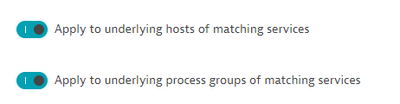
4. Turn off these options if you do not want tags or zones to propagate
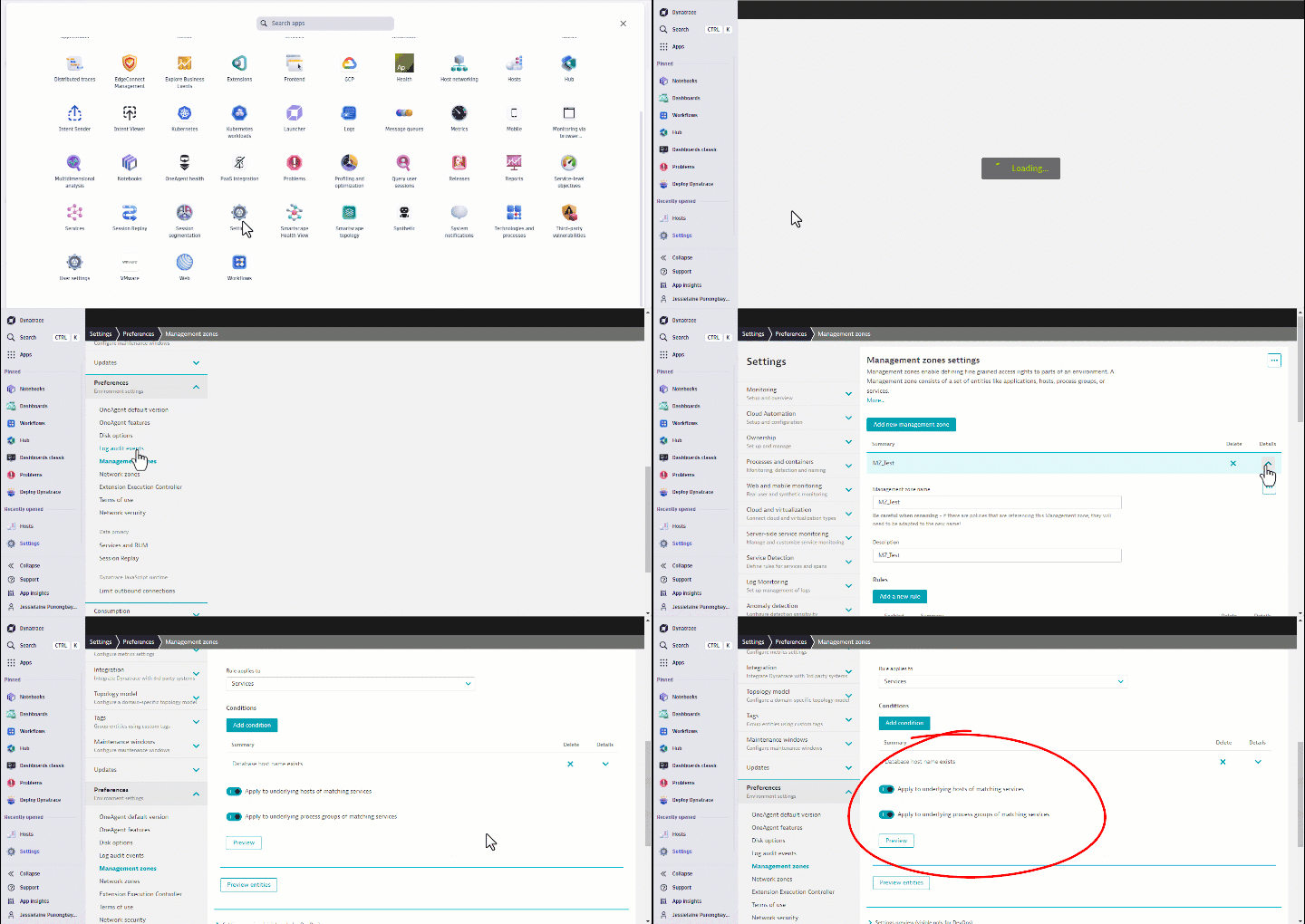
Tip: As a best practice, create separate rules for each entity type. This helps avoid unnecessary or unintended attributes being added to your entities.
Check Dimensional Rules (Metric-Based Events Only)
For Metric-Based Events, dimensional rules may add metrics to a specific Management Zone—and this may create unintended tags or zones on the problem card.
Example scenario
- A dimensional rule groups metrics into a Management Zone
- This Management Zone is applied to the problem
- The problem card inherits tags linked to that zone
Review your dimensional rules to confirm whether an event-based configuration is adding unwanted attributes.
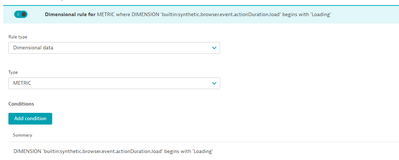
What's Next
If the problem persists or these solutions don't apply, please contact us via chat and provide the following:
- A link to the affected problem.
- The troubleshooting steps you have already tried.
Related reading
Labels:
Comments



sujit_k_singh
Leader
@jellypunoThank you for sharing this. I have a question: Does this imply that the best practice is to create conditions separately instead of enabling toggles for both services and processes in one condition, such as inside the host monitoring rule?"
