This website uses Cookies. Click Accept to agree to our website's cookie use as described in our Privacy Policy. Click Preferences to customize your cookie settings.
Troubleshooting
Articles about how to solve the most common problems
Turn on suggestions
Auto-suggest helps you quickly narrow down your search results by suggesting possible matches as you type.
- Community Home
- Platform
- Troubleshooting
- Validation errors while creating NAM monitors via UI on Managed
Options
- Subscribe to RSS Feed
- Mark as New
- Mark as Read
- Printer Friendly Page

 slawomir_justa
Dynatrace Participant
Options
- Mark as New
- Subscribe to RSS Feed
- Permalink
on
15 Jan 2025
02:00 PM
- edited on
12 Jun 2026
09:34 AM
by
HannahM
Summary
This article explains how to fix validation errors when creating Network Availability Monitors (NAM) in the Dynatrace Managed UI.
These errors are commonly caused by:
- Incorrect constraint configuration
- Missing request definitions
Fixing these configuration issues allows successful creation of NAM monitors and ensures proper network monitoring.
- Summary
- Problem
- Cause
- 1. Incorrect constraint configuration
- 2. Missing request definition
- Resolution
- Fix 1 – Correct constraint configuration (SUCCESS_RATE_PERCENT)
- Fix 2 – Add request configuration to each step
- Example
- What's next
- Related reading
Problem
Validation failed with the following errors: (step[0].constraint[0]) value: attribute is missing
Validation failed with the following errors: (step[0]) At least one request per step must be defined
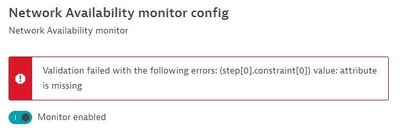
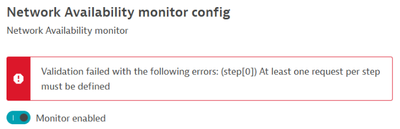
As a result:
- The monitor cannot be saved
- Configuration is blocked at validation stage
Cause
These validation errors occur when required fields are either:
- Missing
- Incorrectly configured
Typical root causes include:
1. Incorrect constraint configuration
- Misconfigured
SUCCESS_RATE_PERCENTsettings - Using a single property instead of required key-value pairs
2. Missing request definition
- No request configured in the step
- NAM requires at least one request-level configuration per step
Resolution
Fix 1 – Correct constraint configuration (SUCCESS_RATE_PERCENT)
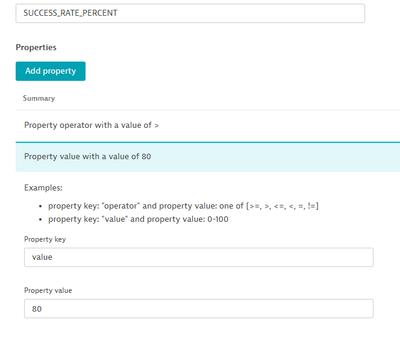
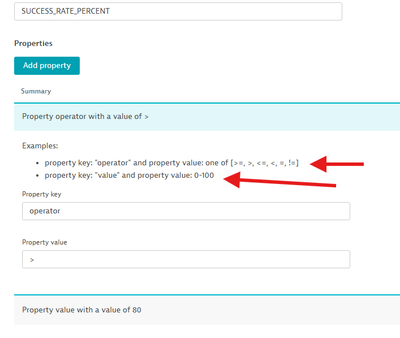
Ensure the constraint contains two properties:
operator: ">"
value: "80"
❌ Incorrect (causes validation error):
">" : "80"
✅ Correct:
- Separate fields for:
operatorvalue
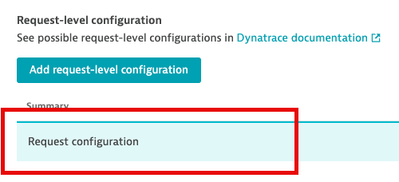
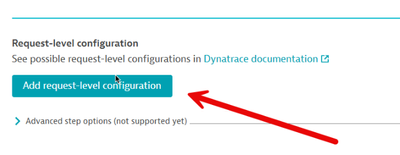
Fix 2 – Add request configuration to each step
Each NAM step must include:
- At least one request definition
Even if minimal:
- Add an empty or basic request configuration using the UI button
Without this:
- Validation fails with:
“At least one request per step must be defined”
Example
A working NAM step should:
- Include:
- ✅ At least one request
- ✅ Proper constraint structure
If either is missing:
- The UI validation fails immediately
What's next
If the issue persists:
Provide the following to Dynatrace Support:
- Screenshot of configuration
- Settings used in each step
- Exact validation error text
Then open a support ticket and reference this article for faster resolution.
